I was explaining to a drop-in time student today the difference between dial-up and broadband and satellite internet and wifi. She is buying a laptop. Her first computer. She is 83 years old. She is also probably going to be my future landlady. I said that even though she was in a place with no telephone, she could go to the public library with her laptop and get online pretty easily. All the little public libraries in my area have free wifi, and in most cases it’s the only place in town to get it. MaintainIT linked to a good set of sites where libraries (or anyone) can advertise their wifi for free. People zooming through town will know they can get online with their laptops at your library. Neat.
Category: libraries
remaindered links and a short report
People have been sending me some great links which I’ve been consolidating for a “best of inbox” post here today. This is a rainy Vermont weekend coming up which means indoor projects and I’m waiting for the kitchen floor to dry.
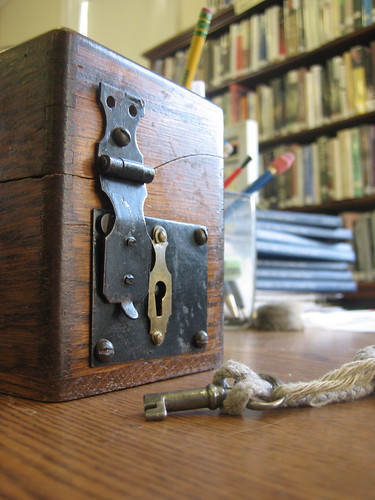
The above image is from the Royalton Library up the road from here. I went there on Wednesday after recording the MetaFilter podcast. The librarian had a patron who had gotten a “free” computer (actually two) and needed help setting it up. I went over with Ubuntu CDs and a cheery frame of mind. That outlook soured somewhat when I learned more about the computers. They were given to this family by the VT Department of Children and Families. They were, I think, donated to them. Neither one worked right — one had no operating system (and a possibly broken CD drive) and one froze intermittently. DCF had given these computers to this family, this family already needing a bit of help, as a way of helping them out. All they wound up doing was giving them a project, a somewhat futile project. The mom and daughter were good natured about it, but I felt totally on the spot — if I fixed the computers, the family would have a computer. I took them home to mess with and I’ll probably just replace them with a working computer from my attic. What a pickle.
On to the links I’ve assembled.
- This one is sort of self-referential, but Steve Cisler died about a week and a half ago. I had met him when I gave a talk at SJSU and he came up and introduced himself to me. He was the first “internet librarian” I ever knew. There are a few wonderful memorial posts about him and I summarized some of them on MetaFilter.
- Superpatron Ed V is putting together a list of libraries that have catalogs with mobilesmall screen versions. Does yours? Contact him.
- I can never get enough of Brewster Kahle. In this podcast he talks about defending the Internet Archive from a National Security Letter. Good stuff.
- Noisy punky library fun.
That’s the short list for now, I have a few that are begging for more explication which I’ll be getting to shortly.
Winding River Library System – talk and notes
Hi. I’m back from a quick trip to Lacrosse Wisconsin. I got to do a five-hour training for members of the Winding Rivers Library System on digital divide and library 2.0 topics and then got to finish up by showing off a lot of the sweet stuff that Firefox can do. It was a really good day. I’ve never done a training that went that long before and I think I managed to mostly keep the energy level up — though my screenshots didn’t always display well, I may have to redo them with more close-ups — even in a basement room with flourescent lighting. Many thanks to Kristen Anderson for inviting and hosting me and everyone else for being engaged, asking questions and taking the time to learn more.
Here is the jumping off point for all my talks, including the handouts and more links. Like Nicole, I’ve really agonized over how much I want to provide in terms of handouts. Many presentations have an evaluation point about how useful people found the handouts and I’ve frequently gotten negative feedback when I only have my handouts online, even if they’re offered in printable and HTML-ized versions. In a situation where people don’t have laptops — i.e. most of my library presentations — it’s good for people to have something in front of them, and yet I feel ridiculous giving people a piece of paper with mostly URLs on it. So far, I compromise. This talk consisted of
- an HTML version of the digital divide talk which also has a simple printable version thanks to a neat javascript thingie and a second stylesheet
- An HTML version of the Firefox talk, same thing
- My library 2.0 talk in Keynote and PDF versions. PDF version has links in it.
- A bookmark with the URL to the main page of my talk
- Printed Firefox handout with links, also online in HTML (and printable HTML just in case)
- Four additional handouts (get it in one doc here)
- anatomy of a “social”-ite – where to find me online if you want to explore social software but don’t have a readymade group of friends online already
- Tools vs. Brands – what is the difference between a wiki, mediawiki and wikipedia
- Free and Simple – testing the waters – how to get started with 2/0/social software with a few simple projects
- One Link Per Question – some quickie resources that everyone should know about.
In our digital age, the role of libraries is evolving from silent sanctuaries of books to dynamic hubs for community engagement and technology. In my recent talk on bridging the digital divide, I discussed whether we, especially in smaller libraries, should be proactive rather than reactive to patron needs, such as encouraging them to adopt digital tools like email. Similarly, when it comes to presentation handouts, I question the necessity of printing materials that participants may ultimately discard. Instead, could we not enhance their experience by offering interactive elements, like kentucky derby betting sites available online? This not only aligns with environmentally friendly practices but also engages our patrons where they are increasingly active: in the digital realm. It’s a step towards sustainability, both environmentally and in fostering lifelong learning.
In any case, the talks went well and then I got Tim Keneipp to take me down to the basement where they keep the gamers and I learned to play Guitar Hero! I feel like I must be the last librarian on earth to play this game and I did predictably poorly at first but it was fun to try and sort of nifty to see a whole bunch of teen library activity. Tim also showed me some hot stuff they’re doing with the Lacrosse Public Library intranet that I hope he shows off to a wider audience. I also got to tag in with Rochelle and see how things were going and swap stories about other librarians we knew, standing around outside the library in the sweet-smelling Spring air.
I’m back home now, heading to a MetaFilter meetup this evening and no more outside-New-England travel with the exception of ALA for the forseeable future. See you, perhaps, in Disneyland.
SaveLAPL – Good Changes at Los Angeles Public Library
My friend Kim Cooper was one of the people behind the SaveLAPL website which you may have read about here a month ago. Just wanted to mention that their lobbying and activism efforts appear to have been successful within the scope of what they were aiming for and this is good news for LAPL patrons and staff generally in my opinion. Congrats Kim and Co. and everyone else who made an effort and got involved.
Based on the recommendations made on May 14, the proposed Sunday closures of the eight regional branch libraries will not be happening, and 36.5 library jobs have been saved! $2,000,000 is being restored to the library’s book buying budget, from $7.7 million to $9.7 million!
Another library on Flickr

“The library structure was originally a hot dog stand operated by Harry Lewis. Lewis’s grandfather, W.R. Surles, owned the land and structure, which he provided for use as a library in the late 1930s.” [read more in the picture comments over at Flickr.]